The Kipu EMR allows you to record and report on the patient's primary, secondary and tertiary Drug of Choice using an evaluation form with the patient.drug_of_choice field. The list of drugs is prebuilt and is categorized by DSM classification.
Let’s review how to configure forms and report on Drug of Choice.
Customize Substances for Drug of Choice
Click here for instructions on customizing your Substances list.
Configure Forms with Drug of Choice Field
The Drug of Choice field can be added to a standalone form and/or can be incorporated into any existing Evaluation form.
Required Permissions
Super Admins or users with the feature Manage Templates or Manage Templates - consents and evaluations added to their profile can customize Evaluation forms.
- Click on Templates and select Evaluations.

- Click New evaluation to create a standalone form or use the Edit icon to add the field to an existing form.
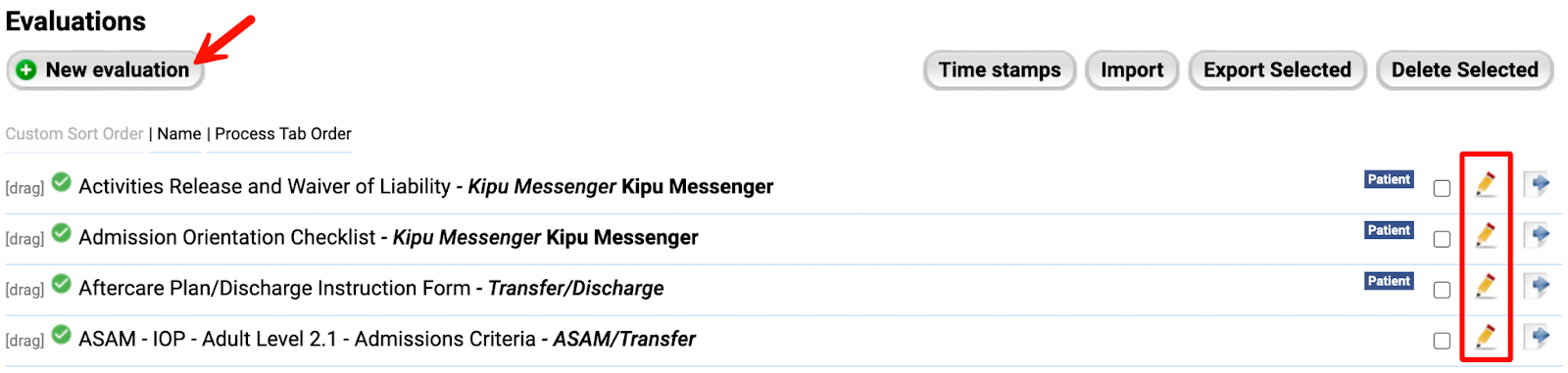
- Name and Label this field. Then open the Field type drop-down.

- Select patient.drug_of_choice.

- Click Update to save your changes.
Documenting Drug of Choice
Once the field has been added to the form, you can log primary, secondary, and/or tertiary drugs.
- Start by selecting the Class from the drop-down, then type in the related Substance(s).
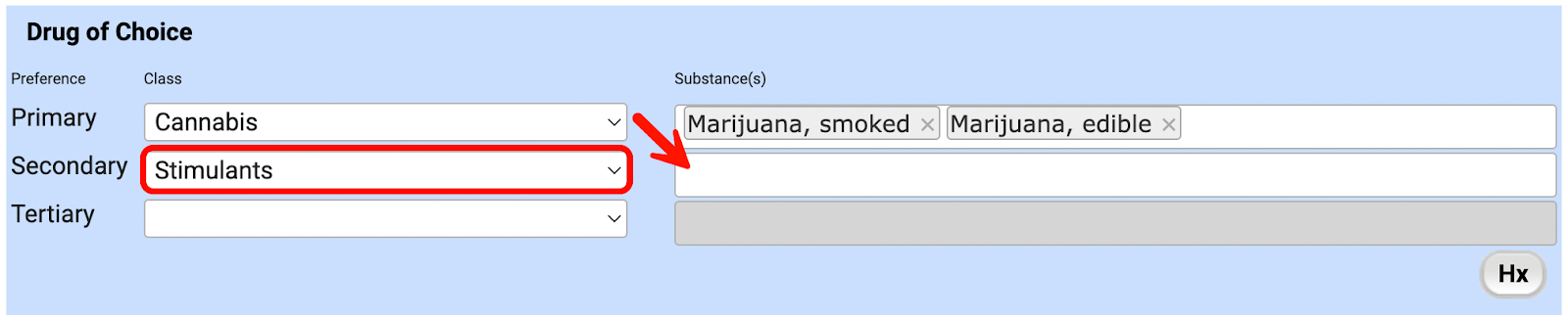
- You must type at least two characters for the Substances auto-complete menu to appear.
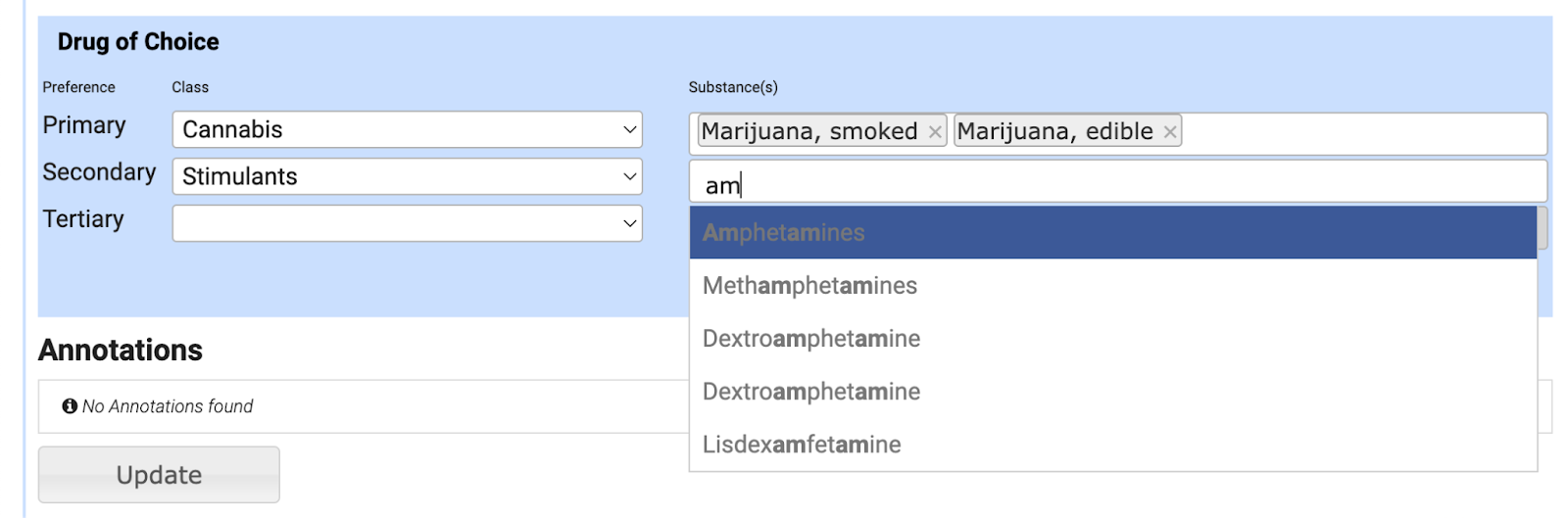
- You can only select the substances linked to the selected class. If you need to make updates to classes and substances, check out these instructions.
- If you are using the form validation, you have to enter at least one drug of choice.
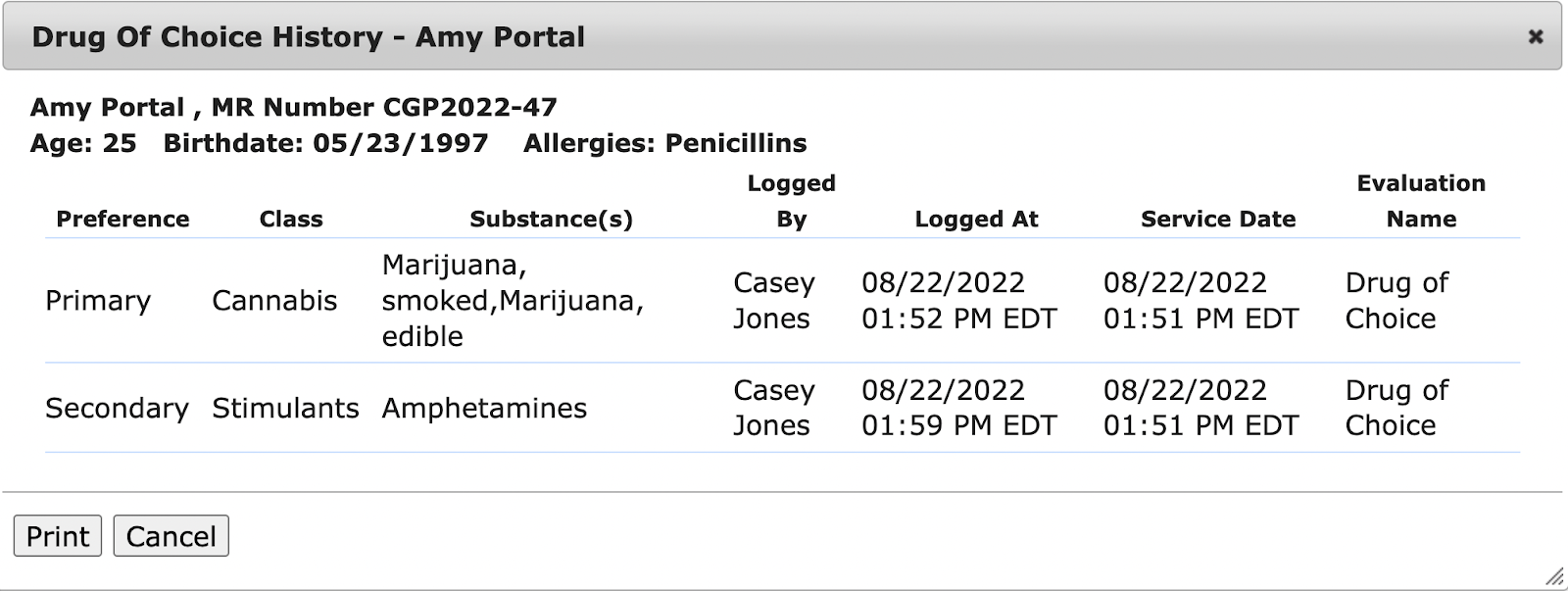
- Click on Hx to view Drug of Choice history.
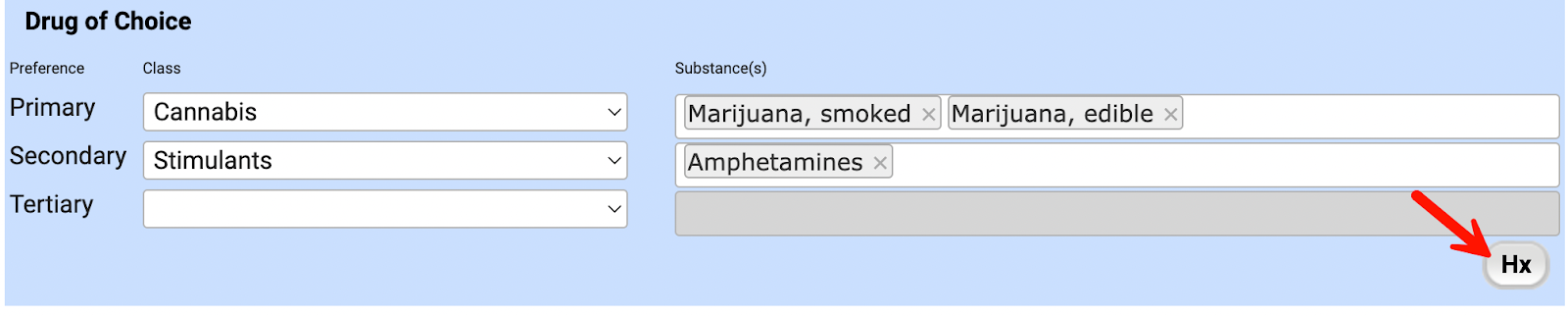
- You can view the date of service and the name of the evaluation these fields were logged in.
Report on Drug of Choice
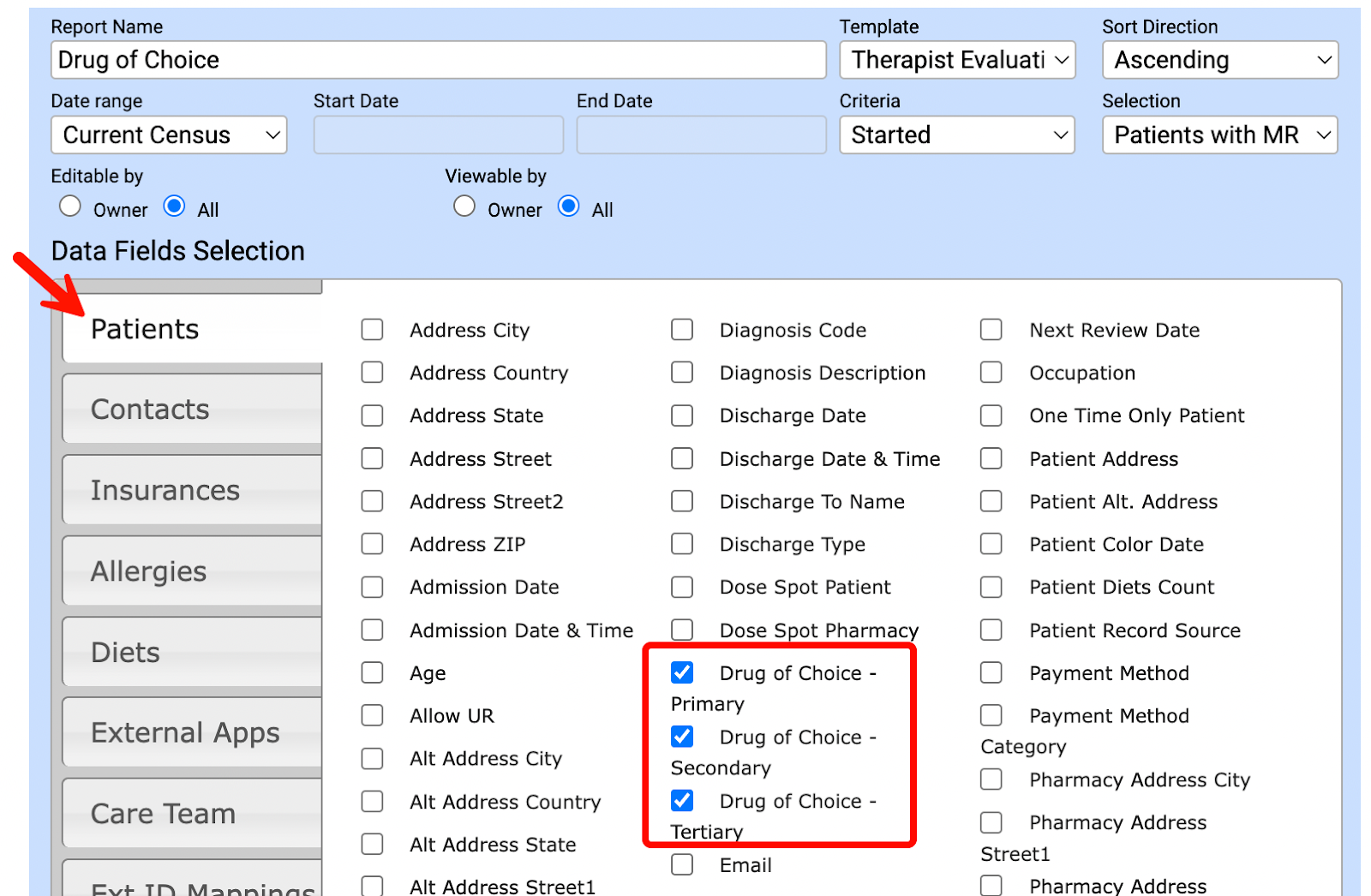
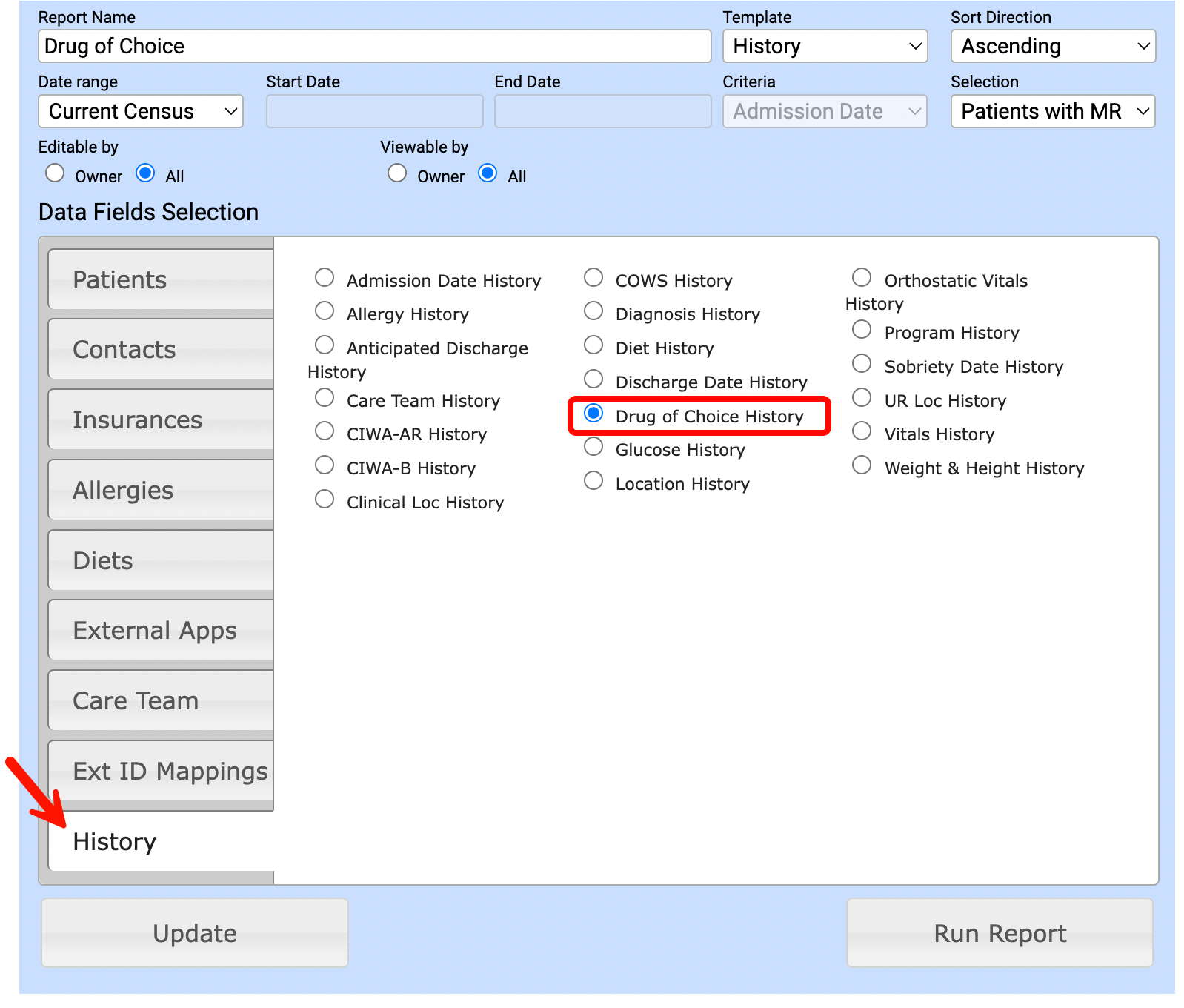
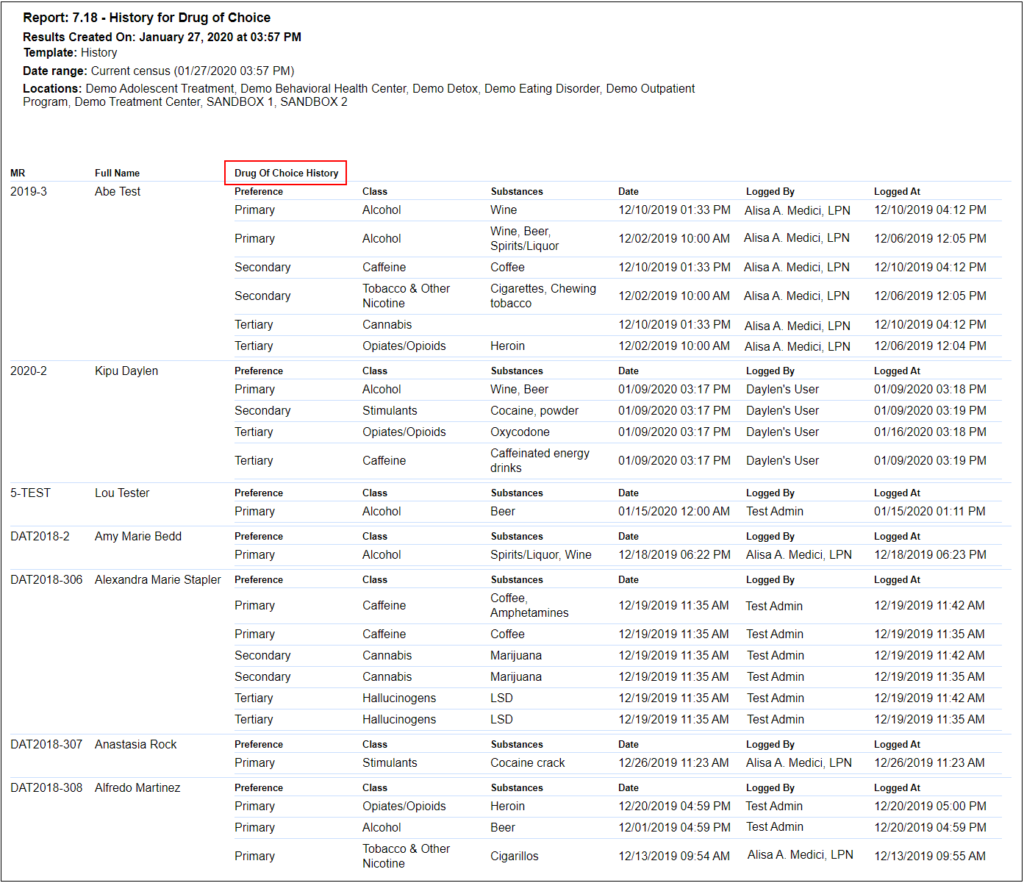
Drug of Choice fields are available for selection as the Patient and History data points.
|
Patients
|
History
|
Report Samples for Drug of Choice
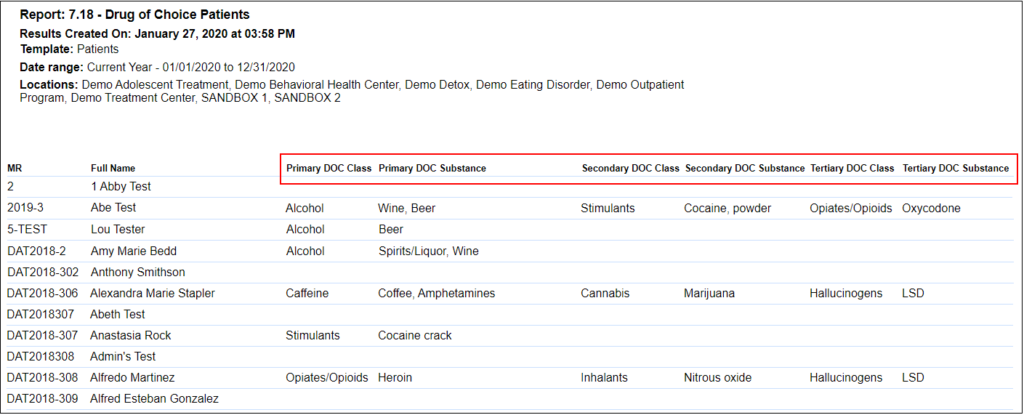
Patients
History
Comments
0 comments
Article is closed for comments.